
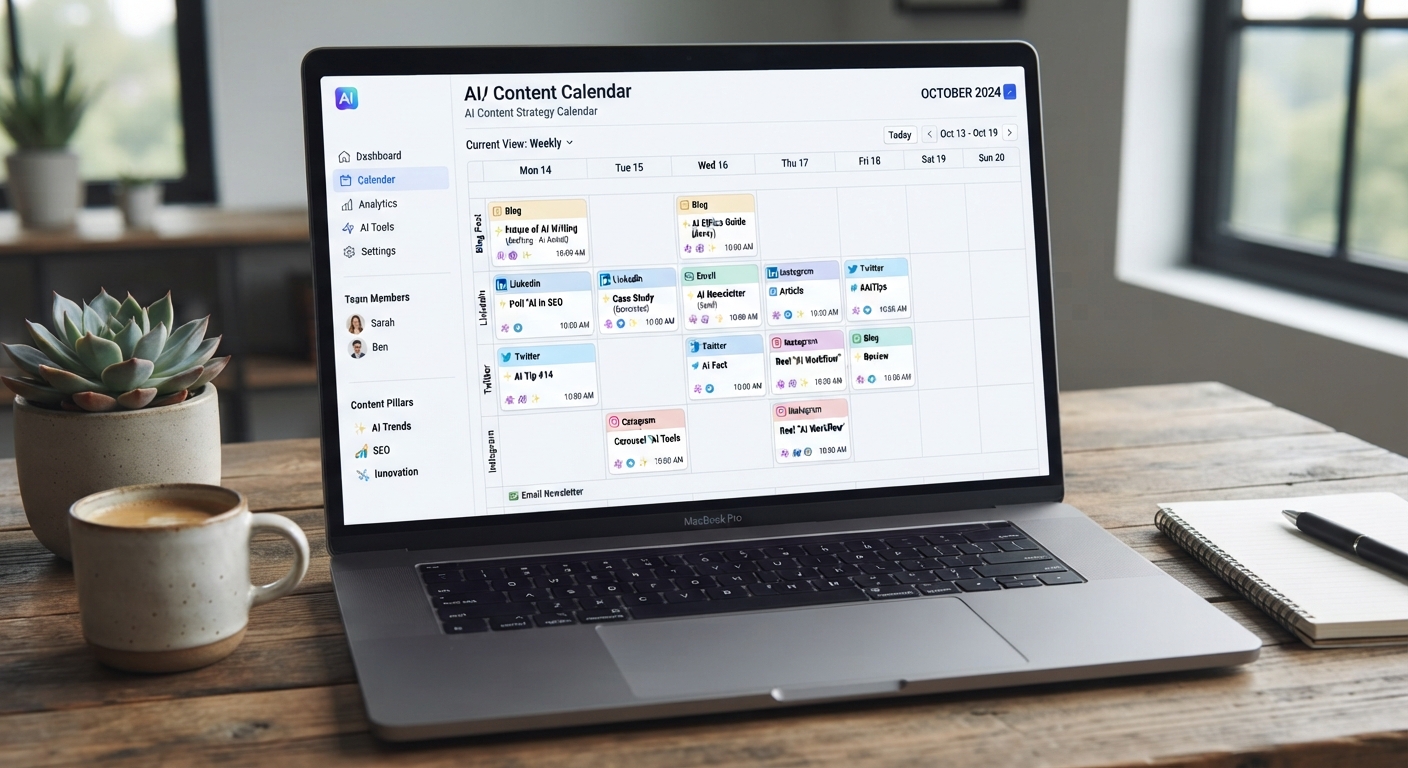
AI Content Calendar: Plan A Month Of Posts In 30 Minutes
The short version
- Decide your content pillars and posting rhythm yourself. Let AI fill the slots.
- Ask for the calendar as a table with fixed columns so you can paste it straight into a spreadsheet.
- Plan a month at a time, draft a week at a time. Plans hold up, but month-old drafts go stale.
- Mark the posts that need a real photo or a real fact from you, so nothing goes out half-finished.
An AI content calendar takes the hardest part of posting consistently, deciding what to say every single day, and turns it into a 30-minute job once a month. You set the rules: what you talk about, how often, and on which platforms. The AI fills a month of slots with specific ideas, and you end up with a plan you can follow on a busy Tuesday without thinking.
Below is the full process, with the prompts, a sample layout, and the checks that keep the plan realistic.
Set The Rules Before You Open The Chat
AI is good at filling a structure and bad at choosing one for your business. Spend ten minutes on these decisions first.
Pick three to five content pillars
Pillars are the recurring topics you post about. For a small fitness studio, they might be:
- Quick form tips for common moves.
- Member wins, shared with permission.
- Behind the scenes: coaches, new equipment, the 6am crowd.
- Class schedule and offers.
Choose a rhythm you can keep
Three posts a week on two platforms that you actually hit beats daily posting you abandon by week two. Write it down: for example, Instagram Monday, Wednesday, Friday and Facebook Tuesday and Thursday.
List this month’s fixed dates
Holidays, local events, a new class launch, a price change, school breaks. These anchor the calendar before the AI adds anything.
Build Your AI Content Calendar With One Prompt
Now give the AI everything in one message and ask for a table. Tables paste cleanly into Google Sheets or Excel.
You’re helping me plan social content for my small fitness studio. Pillars: form tips, member wins, behind the scenes, schedule and offers. Rhythm: Instagram Mon/Wed/Fri, Facebook Tue/Thu. Month: October. Fixed dates: new Saturday bootcamp starts Oct 12, studio closed Oct 31. Make a table with columns: Date, Platform, Pillar, Post idea (one specific sentence), Format (photo, carousel, short video, text), What I need to provide. Rotate pillars so none repeats two posts in a row. No more than one offer post per week.
You’ll get a month of rows, around 22 for this rhythm. The last column is the important one. It flags where the AI needs a real photo, a member’s permission, or a fact only you know.
Paste the table into a spreadsheet. Add two columns of your own: Status (idea, drafted, scheduled, posted) and Notes. That spreadsheet is now your calendar.
What a good row looks like
Here’s one finished row from the example, so you know what to aim for: Oct 9, Instagram, Form tips, “The kettlebell swing mistake that hurts your lower back, and the one-word cue that fixes it”, short video, film a 20-second clip with a coach. It’s specific enough that anyone on your team could make it without asking a question. If a row doesn’t pass that test, send it back to the AI and ask for a sharper version.
Review The Plan Like An Editor
A first draft calendar always has a few weak spots. Go down the list and check:
- Too generic? “Share a fitness tip” is useless. “Show the three most common squat mistakes, filmed with one of your coaches” is a post.
- Too much selling? Count the offer posts. If more than one in five asks for money, swap some out.
- Realistic to produce? Five videos in one week sounds great until Wednesday. Trade some for photo or text posts.
- Fits the dates? Check that the launch posts come before the launch and nothing cheerful lands on a day you’re closed.
- Sounds like you? Cut any idea you’d feel awkward posting.
Tell the AI what to fix in plain words: “Replace the 4 weakest ideas with more specific ones. Move the bootcamp teaser to Oct 7 and Oct 10.” Two rounds is usually enough.
Draft One Week At A Time
Don’t write all 22 posts on day one. News changes, a member hits a big goal, a class sells out. Draft each week on the Monday before.
Here are next week’s 5 rows from my content calendar. [paste rows] Draft each post using this voice note: [paste voice note]. For Instagram, keep captions under 100 words with a clear first line. For Facebook, write for locals and put the key detail first. Where the row says I need to provide something, leave a clear note for me instead of inventing it.
That last instruction matters. Without it, the AI will happily invent a member’s name or a result. Fill those gaps yourself, then schedule the posts with whatever scheduler you use.
If one post does well, reuse it. Our guide on repurposing content with AI shows how to spin one idea into a video, a carousel, and an email.
Keep Your AI Content Calendar Going Month After Month
At the end of each month, feed the results back in. Copy the post dates, ideas, and basic numbers like reach, comments, and saves into the chat.
Here’s last month’s calendar with results. Which pillars and formats did best? Build next month’s calendar with the same columns, doing more of what worked and dropping the two weakest post types.
Over a few months, your AI content calendar gets sharper because it’s built on your own results. Some businesses also plan email alongside social in the same sheet. If that’s you, our guide on AI email marketing fits right in. And if planning your whole week this way appeals, see how to plan your week with AI.
Plan A Month Of Posts In One Sitting
AI For Social Media includes a ready-to-use calendar template, the full set of planning and drafting prompts, and a worked example of a month built from scratch for a small business. The cheat sheet covers pillars, posting rhythms, and review checks. If you’d like the sheet itself to do more of the work, AI For Spreadsheets And Data pairs well with it.





