
Make Vs Zapier: Which Automation Tool Should You Use?
The short version
- Pick Zapier if you want simple, step-by-step automations running today and you use less common apps.
- Pick Make if your automations branch, loop through lists, or run thousands of times a month and cost matters.
- Both connect to AI tools, so either can summarize, sort, or draft text inside an automation.
- Build the same small automation in both free tiers before you commit. An hour of testing tells you more than any comparison chart.
In the Make vs Zapier choice, Zapier wins on ease and app coverage, and Make wins on flexibility and cost at volume. If you’ve never built an automation, start with Zapier. If you’re comfortable with a flowchart and your processes have “if this, then that, otherwise this other thing” logic, Make will serve you better.
Both tools do the same basic job. Something happens in one app, such as a form submission, a new email, or a paid invoice, and the tool does things in other apps. The differences show up in how you build, how you pay, and how far you can push them.
How Each One Feels To Build In
Zapier: a list of steps
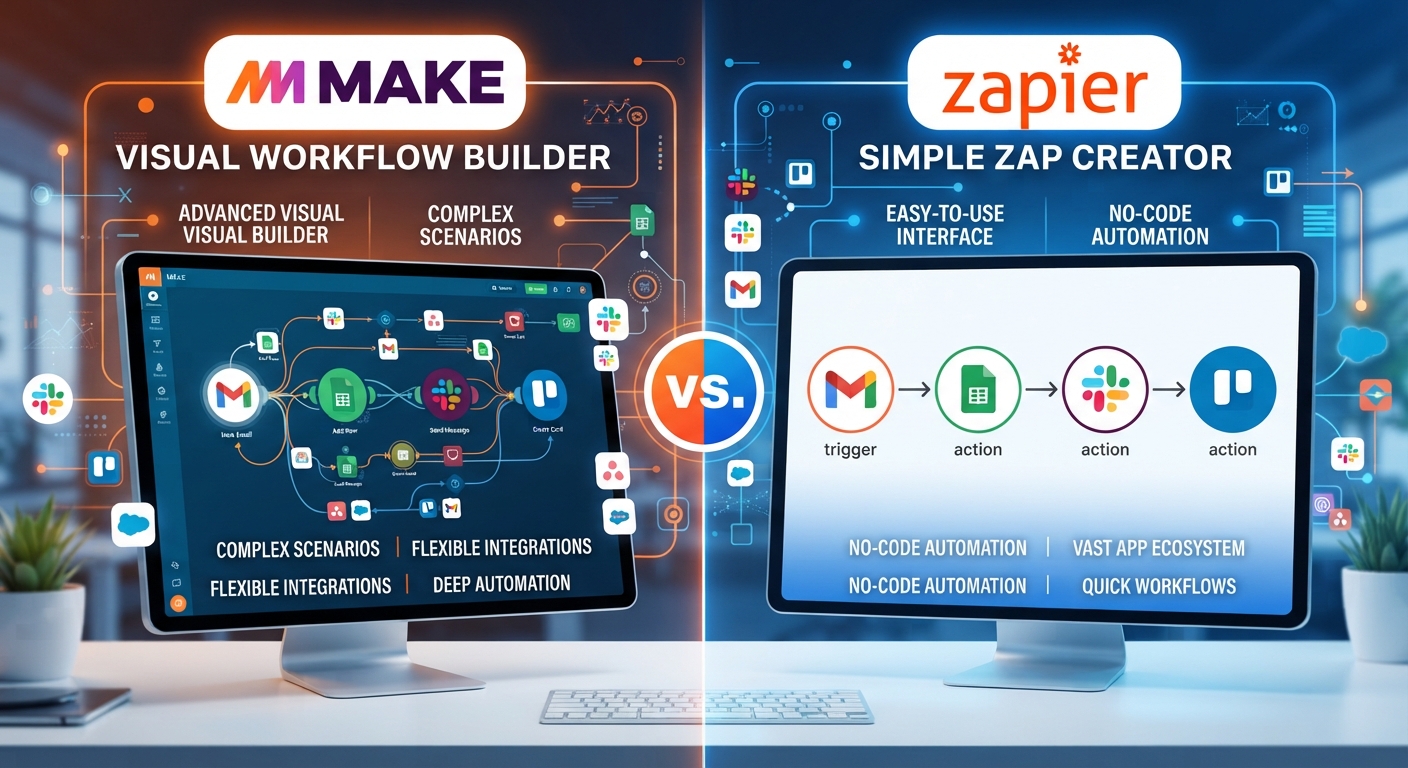
A Zapier automation, called a Zap, reads top to bottom. Trigger, then action, then action. You fill in fields in a panel. It’s close to filling out a form, which is why beginners get their first Zap working in minutes. Paths and filters let you add branches, but big branching Zaps get hard to read.
Make: a map on a canvas
A Make automation, called a scenario, is a set of circles joined by lines on a canvas. You can see the whole flow at once, split it with routers, and loop through items one by one. It takes longer to learn. Once it clicks, complex jobs are easier to build and to debug, since you can watch data move through each step.
Make Vs Zapier Side By Side
- Learning curve. Zapier is gentler. Make asks you to understand how data is shaped, such as a list versus a single item.
- App library. Zapier connects to more apps, especially small or niche ones. Make covers the popular apps well and has a general HTTP module for others.
- Logic. Make handles branches, loops, and error routes more naturally. Zapier can do some of this, with more clicks.
- Pricing model. Zapier counts tasks, which are successful actions. Make counts operations, which are each module run. For high-volume, many-step jobs, Make is usually cheaper. Check both pricing pages with your own numbers, since plans change.
- Debugging. Make shows the data at each step on the canvas. Zapier’s run history is clear for simple Zaps.
- AI steps. Both can call AI models to summarize, classify, or draft text, and both have built-in AI helpers for building automations.
One Automation, Built In Both
Here’s a real-world case: a small web design studio gets leads through a website form with name, email, budget, and project description. They want to:
- Add every lead to a Google Sheet.
- Use AI to summarize the project description in 2 lines and tag it as “website”, “branding”, or “other”.
- If the budget is above $5,000, post it to a Slack channel and create a deal in the CRM.
- If it’s below, send a friendly email with the starter package link.
In Zapier
Trigger on the form. Add the Sheets row. Add an AI step with a prompt, then Paths: one path for budget over $5,000 with Slack and CRM actions, one for under with the email action. Very readable, about 7 steps. Each lead uses several tasks.
In Make
Form module, Sheets module, AI module, then a router with two routes and a filter on each. Same logic, drawn as a fork. Each lead uses several operations, and the canvas shows exactly which route each lead took.
The AI step prompt is the same in both:
“Summarize this project request in 2 plain sentences. Then give one tag: website, branding, or other. Reply in this format: SUMMARY: … TAG: … Request: [project description field]”
A fixed reply format matters. It makes the next step reliable, because you can pull the tag out cleanly every time. For more on prompts that behave, see how to write AI prompts.
With 30 leads a month, either tool is fine and Zapier is faster to set up. With 3,000 leads a month and more steps, Make’s pricing and routing start to matter.
Which To Choose, By Situation
Most Make vs Zapier decisions come down to who will build and maintain the automations, and how many times they’ll run. Match your situation below:
- Solo owner, first automation, a few hundred runs a month: Zapier.
- You use a niche industry app: check it’s on Zapier first. It’s often the only option.
- Operations person automating a whole process with branches: Make.
- Processing lists, such as every row in a sheet or every line on an order: Make.
- Team where non-technical staff will edit the automations later: Zapier, because it’s easier to hand over.
Some businesses use both: Zapier for quick one-off links and Make for the heavy workflows. That’s fine, as long as you keep a simple list of what runs where. Browse our Zapier AI automation examples for ideas to test first.
Mistakes That Cost Money In Either Tool
- Triggers that fire too often, such as “any updated row”, can burn through your monthly allowance in a day. Filter early.
- No error alerts. Turn on email alerts for failed runs so a broken step doesn’t lose a week of leads.
- AI steps with no fixed output format, which break the steps after them.
- Sending customer data through AI steps without checking your privacy rules.
Test with 5 fake entries before you switch an automation on, and check every destination by hand.
Build Automations That Run Without You
AI For Automation With Zapier And Make walks through both tools from the first trigger, with worked examples for leads, invoices, and email, plus AI steps that sort and summarize reliably. It helps you choose, build, and fix automations without writing code.





