
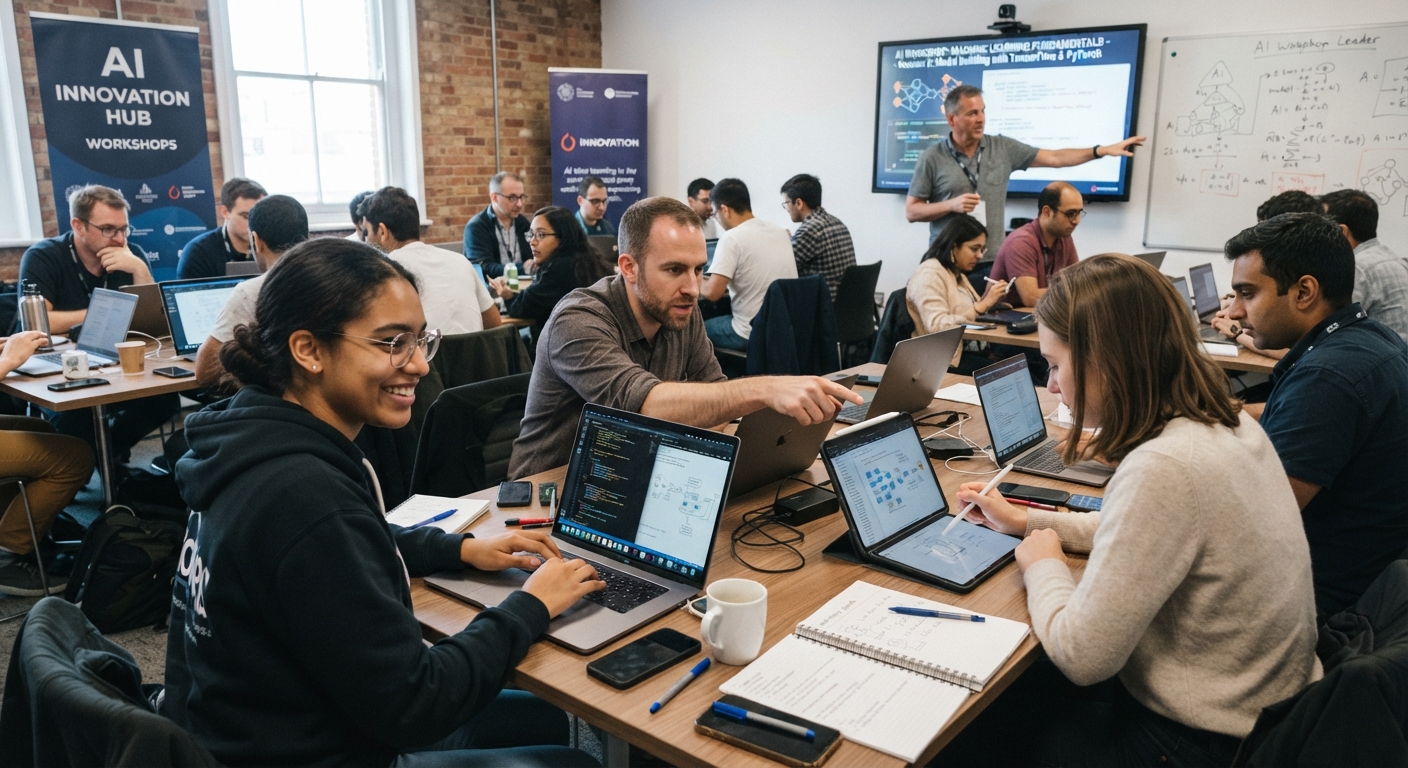
AI Workshops: A 90-Minute Hands-On Agenda For Your Team
The short version
- The AI workshops that change how a team works are hands-on: people spend most of the time using a tool on their own real tasks.
- Ninety minutes is enough if you keep the talking to about 20 of them.
- Ask everyone to bring two real tasks from their week. That single request decides whether the session sticks.
- End with a shared prompt document and one commitment per person, then follow up in a week.
Most AI workshops fail for a simple reason: people watch someone else use AI for an hour and then go back to their desks unchanged. Run yours the other way. Talk briefly, demo once, then have everyone work on their own tasks with a facilitator walking the room. Below is a 90-minute agenda you can run with a team of 5 to 25 people, plus the prep and follow-up that make it last.
Before The Workshop: Prep That Takes An Hour
Good sessions are won in the prep. Do these a week ahead:
- Pick one tool for everyone. Mixing ChatGPT, Claude, and Gemini in one room turns the session into tech support. Use the one your company has approved, or the free tier of one tool.
- Confirm access. Everyone logs in before the day. Send a two-line reminder the morning before.
- Write the ground rules on one slide: no client names, no personal data, no confidential numbers. Use made-up or anonymized details.
- Ask each person to bring two real tasks from their week, like an email they dread, a report they summarize, or a document they need to understand.
- Prepare one live demo on a task most of the room recognizes.
- Create a shared document titled “Team prompt library” with columns for task, prompt, and who wrote it.
If people come without tasks, keep a backup list on hand: rewrite a vague email, summarize a long policy, turn meeting notes into action items, draft a job posting, make a checklist from a process description.
The 90-Minute Agenda For Hands-On AI Workshops
0 to 10 minutes: What it is and the rules
Keep this short. Explain in two minutes what a chat AI does well (drafting, summarizing, reorganizing, explaining) and what it does badly (facts it wasn’t given, math it isn’t shown, anything it can’t see). Then show the ground rules slide and the one habit that matters most: you read and check everything before using it.
10 to 20 minutes: One live demo
Take a real task and show the difference context makes. First a lazy prompt, then a full one:
I’m an operations manager at a 30-person HVAC company. Rewrite this announcement about our new vacation request process so technicians will read it on their phones. Under 120 words, short lines, the two dates they must know at the top. [paste the draft]
Then refine it live: “shorter”, “friendlier opening”, “add a line about who to ask”. The room learns more from watching you iterate than from any slide. For the principles behind it, this guide to writing AI prompts is a good pre-read.
20 to 45 minutes: Round one, your first task
Everyone works on their first real task. Give them a simple frame on screen:
Who I am and what I do. What I need. Who it’s for. The format I want. [paste material]
Walk the room. The most common problems will be prompts with no context and people accepting the first draft. Nudge them to ask for changes at least twice.
45 to 60 minutes: Show and tell
Ask four or five people to share their screen or read out their prompt and result. Pick a mix: one big win, one where the AI got something wrong, one surprising use. The failure is as useful as the wins. It’s your chance to teach checking, and spotting AI mistakes makes a good follow-up read.
60 to 80 minutes: Round two, harder task plus critique
People move to their second task. This time, add one new move: after the draft, ask the AI to critique it.
Review the draft above as if you were the person receiving it. List the three weakest points, then give me a revised version.
In the last five minutes of the round, everyone adds their best prompt to the shared prompt library, with any private details removed.
80 to 90 minutes: Commitments
Each person writes one line: the task they’ll use AI for next week, and roughly how long it takes them now. Collect these. They’re your follow-up list and your baseline for measuring time saved.
Facilitator Tips
- Keep one helper for every 10 people so nobody sits stuck for long.
- Don’t lecture about how models are trained. Ten minutes of theory costs you ten minutes of practice.
- Praise good questions and good edits more than impressive outputs.
- Answer data and privacy questions directly, with your company’s actual policy. Vague answers make people either reckless or too scared to try.
- If the Wi-Fi or the tool goes down, switch to paired work on one working laptop and keep going.
After The Session: Make It Stick
Workshops fade within a week without follow-up. Send a short email the next day with the prompt library link, the ground rules, and each person’s commitment. A week later, ask everyone for one line: did they do it, how long did it take, and what went wrong. Share the best two examples with the whole team.
Run a 30-minute follow-up after two or three weeks where people share new prompts. After that, add one new use case per month. The guide on how to use AI at work has plenty of ideas to pick from. Teams that keep adding to a shared library keep improving, and the ones that don’t tend to drift back to old habits.
Running AI Workshops For Different Groups
Adjust the tasks to the room. Sales teams bring follow-up emails and call notes. Admin and operations teams bring procedures and reports. Managers bring feedback drafts and meeting summaries. Keep the agenda the same, and swap the demo so it matches the work in front of you. Mixed teams do well too, because people see uses they would never have thought of in their own role.
Give Your Team A Guide For Every Role
The Guide Library includes all 30 specialized guides, covering sales, customer service, spreadsheets, meetings, writing, automation and a range of professions. Hand each person the guide for their role after the workshop so they keep practicing with real prompts and worked examples.





